How to FIX SEC_ERROR_EXPIRED_CERTIFICATE
-
The most common issue of getting "SEC_ERROR_EXPIRED_CERTIFICATE" error means website owner forgot to renew an SSL certificate, which is a very bad practice. However, even large projects like LinkedIn or Instagram missed the renewal process. At present (2019), the maximum validity of SSL is 27 months and you have to renew every 2 years.
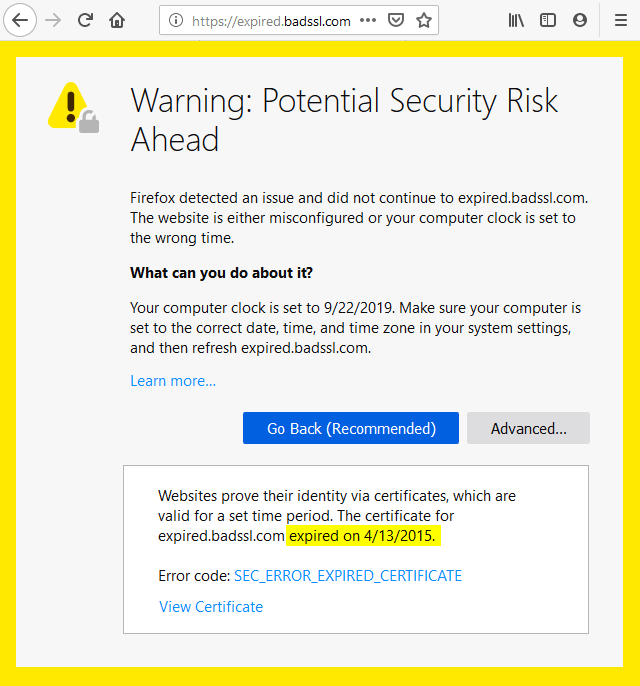
To start solving the issue, you have to check if the problem comes from expired SSL or issues on your side. That is easy to do, just look on the screenshot from Firefox browser below, it is clearly stated that the certificate expired on 4/13/2015.
-
-
1
Solution for Website owners
You have to urgently replace expired SSL certificate to prevent losing the website visitors and customers. The worse thing is that some visitors may "force" browser to access website with expired SSL. In that case, the sensitive information exchanged by the visitor and your server will be not protected.
-
2
Solution for Website visitors
- Check if your computer or device has a proper date and time set. The wrong date would for sure effect browsing the websites. Update the time, restart the browser and retry visiting the problematic website;
- Clear the SSL cache. Press the Win + R keys. In the window, type inetcpl.cpl. A new window will appear, in it on the “Content” tab, look for and click on the “Clear SSL” button. Be sure to confirm the action by clicking on "Apply" and "OK. Next, reboot the PC and try again to download the site.
-
Avoid next steps
We highly suggest avoiding the next solutions published online to solve the issue for website visitors.
- Turning off Firewall or Antivirus is a very bad idea;
- Forcing browser to access website with expired SSL means your traffic and data will be not protected.
-
Conclusion
- Visitors: Follow the steps described, contact website owner, if they do not help.
- Webmasters: Urgently recheck Expiration period of your SSL and renew if it is expired.
-