Speed up SSL issuance
GoGetSSL® offers fastest issuance of SSL due to use of LEI code and API automation. Legal Entity Identifier (LEI) is a global identity code, just like DUNS. Learn how LEI works.
Automating SSL/TLS for your Kubernetes cluster using an ACME SSL certificate keeps your applications secure without manual renewals. This guide uses cert-manager with External Account Binding (EAB) and shows how to configure a kubeadm Kubernetes cluster with NGINX Ingress, issue, install, auto-renew, and verify certificates. Example commands use placeholders, replace them with your actual values.
These requirements apply regardless of how the Kubernetes cluster is built. You must have the following in place to issue and auto-renew SSL/TLS certificates using ACME and cert-manager:
The steps and examples in this guide were validated using the environment below. Users do not need to match this setup exactly.
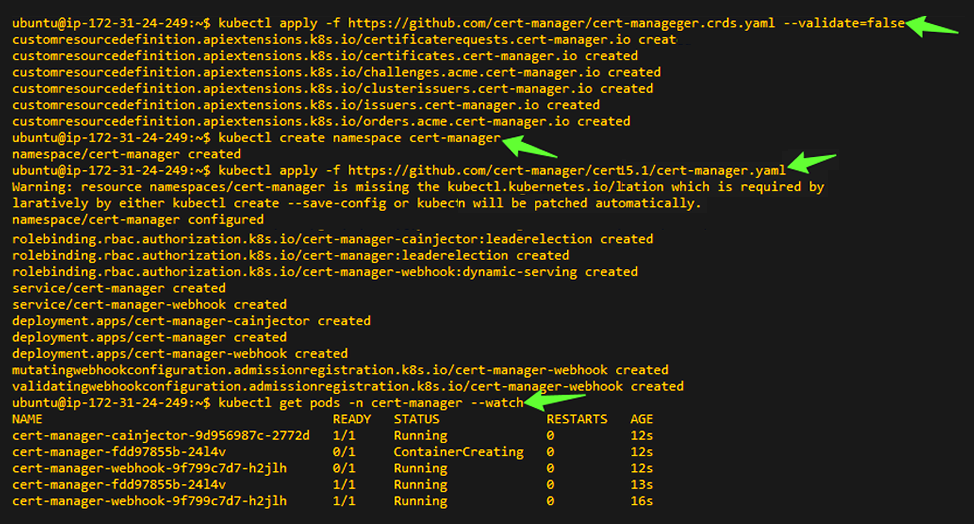
Install the cert-manager CRDs and components used to request ACME certificates.
kubectl apply -f https://github.com/cert-manager/cert-manager/releases/download/v1.15.1/cert-manager.crds.yaml --validate=false
kubectl create namespace cert-manager
kubectl apply -f https://github.com/cert-manager/cert-manager/releases/download/v1.15.1/cert-manager.yaml
                                            kubectl get pods -n cert-manager --watch
                                            # or once:
                                            kubectl get pods -n cert-manager
Replace these placeholders with your own values:
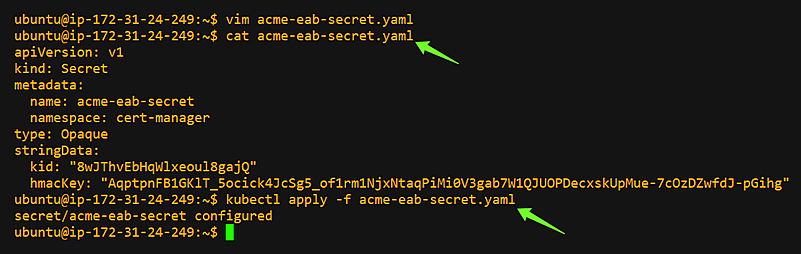
Store your External Account Binding (EAB) credentials for the ClusterIssuer. Replace ALL CAPS placeholders before applying.
                                            apiVersion:v1
                                            kind:Secret
                                            metadata:
                                              name:acme-eab-secret
                                              namespace:cert-manager
                                            type:Opaque
                                            stringData:
                                              kid:"EAB_KID"
                                              hmacKey:"EAB_HMAC_KEY"
                                            kubectl apply -f acme-eab-secret.yaml
                                            # OR
                                            kubectl create secret generic acme-eab-secret \
                                            --namespace cert-manager \
                                            --from-literal=kid="EAB_KID" \
                                            --from-literal=hmacKey="EAB_HMAC_KEY"
Replace these placeholders with your own values:
Define a cluster-wide ACME issuer that uses your CA's ACME server and EAB secret for account registration. This configuration uses HTTP-01 challenge solving via NGINX Ingress.
                                            apiVersion:cert-manager.io/v1
                                            kind:ClusterIssuer
                                            metadata:
                                              name:sectigo-prod
                                            spec:
                                              acme:
                                                email:ACCOUNT_EMAIL
                                                server:SERVER
                                                privateKeySecretRef:
                                                  name:sectigo-prod
                                                externalAccountBinding:
                                                  keyID:EAB_KID
                                                  keySecretRef:
                                                    name:acme-eab-secret
                                                    key:hmacKey
                                                solvers:
                                                  - http01:
                                                    ingress:
                                                      class:nginx
Replace these placeholders with your own values:
kubectl apply -f cluster-issuer.yaml
                                            kubectl describe clusterissuer sectigo-prod
                                            # look for Status: Ready=True and events showing registration

Create an Ingress with cert-manager annotations to request and mount a TLS secret. Replace these placeholders with your own values:
                                            apiVersion:networking.k8s.io/v1
                                            kind:Ingress
                                            metadata:
                                              name:INGRESS_NAME
                                              namespace:NAMESPACE
                                              annotations:
                                                kubernetes.io/ingress.class:"nginx"
cert-manager.io/cluster-issuer:"sectigo-prod"
nginx.ingress.kubernetes.io/ssl-redirect:"true"
                                            spec:
                                               ingressClassName:nginx
                                               tls:
                                                 - hosts:
                                                   - DOMAIN
                                                 secretName:SECRET_NAME
                                               rules:
                                                 - host:DOMAIN
                                                 http:
                                                   paths:
                                                     - path:/PATH
                                                     pathType:Prefix
                                                     backend:
                                                       service:
                                                         name:SERVICE_NAME
                                                         port:
                                                           number:80
kubectl apply -f ingress.yaml
kubectl get ingress INGRESS_NAME -n NAMESPACE -o wide

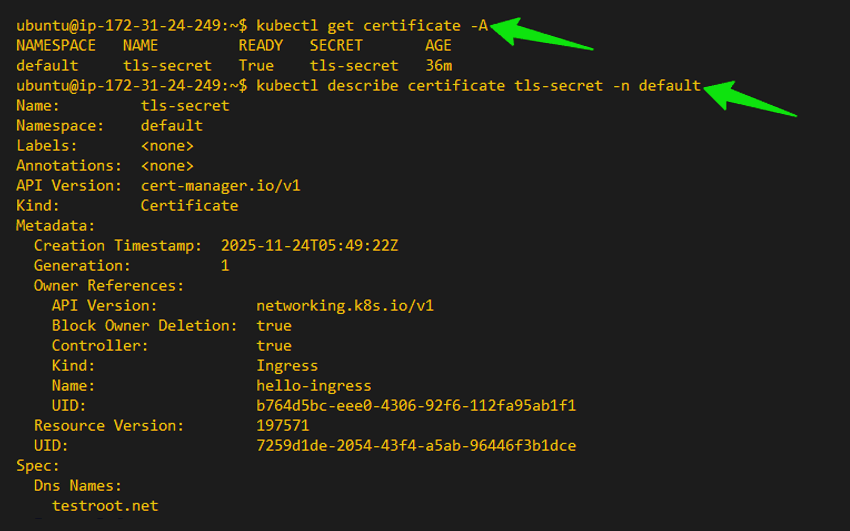
Verify cert-manager creates a Certificate and CertificateRequest, and confirm the HTTP-01 challenge succeeds. Replace these placeholders with your own values below:
kubectl get certificate -A
kubectl describe certificate SECRET_NAME -n NAMESPACE
                                            kubectl get certificaterequest -A
                                            kubectl describe certificaterequest <CERTREQ_NAME> -n <NAMESPACE>

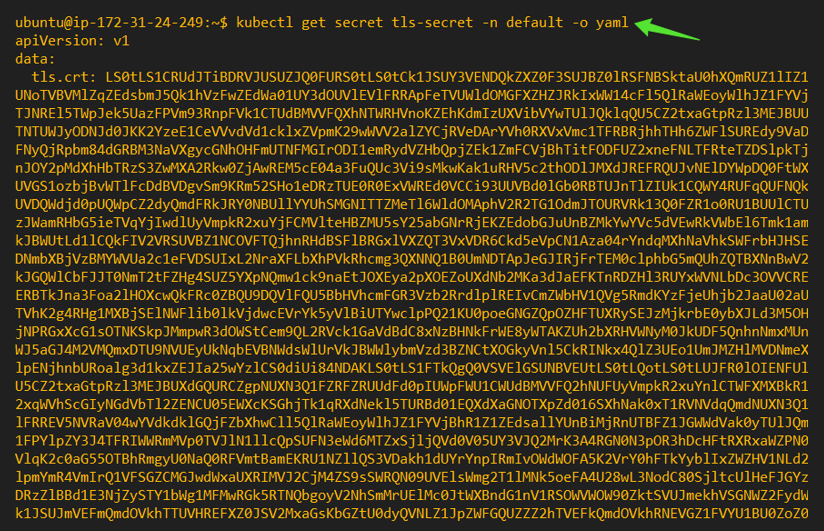
Confirm TLS is served and the certificate is issued by your CA.
curl -I http://DOMAIN
curl -vk https://DOMAIN

kubectl get secret SECRET_NAME -n NAMESPACE -o yaml
Access your domain using a web browser, click the padlock icon in the address bar, and inspect the certificate details. Confirm that the certificate is issued by the CA and that the connection is fully secured.

Test cert-manager's ability to re-issue a certificate by deleting the existing Certificate and Secret.
WARNING: This temporarily deletes the TLS secret and causes brief downtime. Use only in test environments.
kubectl describe certificate SECRET_NAME -n NAMESPACE
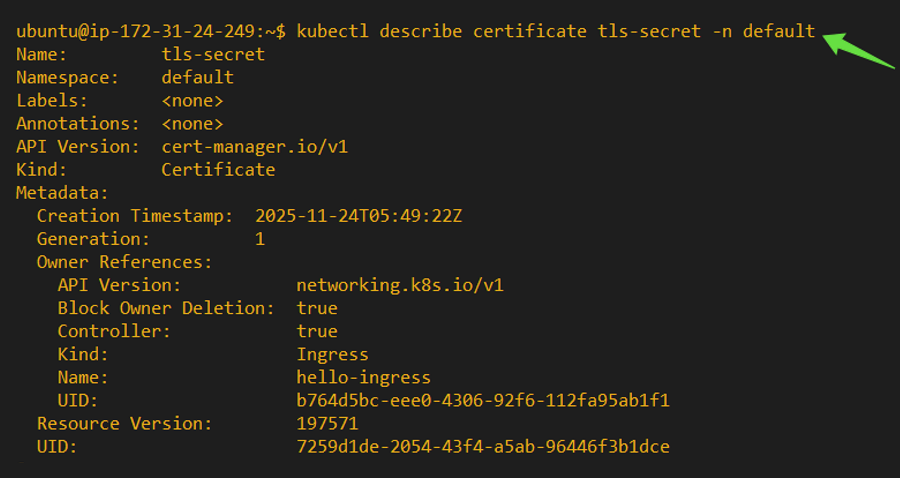
                                            kubectl delete secret SECRET_NAME -n NAMESPACE
                                            kubectl delete certificate SECRET_NAME -n NAMESPACE
                                          kubectl get certificaterequest -A
                                          kubectl get certificate -A
                                           kubectl get secret -n NAMESPACE

These steps are not required for most installations but are helpful if you encounter issues. You may also contact our support team for more questions.
Run these checks to confirm your Kubernetes cluster, ingress controller, DNS, and network are correctly configured before starting the ACME installation.
kubectl get nodes
kubectl get pods -n ingress-nginx
kubectl get svc -n ingress-nginx
nslookup DOMAIN
curl -I http://DOMAIN
You have successfully:
SSL renewals now run automatically without manual intervention.
Placeholder - Description
Get a Domain Validation SSL certificate within just 5 minutes using our friendly and automated system. No paperwork, callback or company required.
Found a better price? We will match it - guaranteed. Get the best possible price in the World with us. The correct place to save your money.
No more manual installations or expiring certificates: automate your SSL certificates with ACME. Get Started with ACME SSL
Customer satisfaction is our major concern. Get a full refund within 30 days for any purchase of SSL certificates with 100% guarantee.
GoGetSSL® offers fastest issuance of SSL due to use of LEI code and API automation. Legal Entity Identifier (LEI) is a global identity code, just like DUNS. Learn how LEI works.